Oops! Something went wrong while submitting the form.
Introduction
When you connect with someone on LinkedIn, you've earned a sliver of their attention. They've accepted your request, glanced at your profile, and formed a first impression. Most sales reps squander this moment with an immediate pitch. The better approach is to think of this as the beginning of a nurturing sequence, not a sales conversation.
The goal of a new LinkedIn connection sequence isn't to book a meeting immediately. It's to convert an outbound connection into an inbound lead. You want them to engage with your content, sign up for your newsletter, download a resource, or reply to an email: any action that signals genuine interest rather than polite tolerance.
This approach works because it flips the dynamic. Instead of chasing prospects with meeting requests, you're demonstrating value until they come to you. Each email in the sequence shares one useful resource. No pressure. No urgency. Just consistent value delivery until something resonates.
The sequence continues until engagement occurs: a reply, a newsletter signup, a course enrollment, or a meeting booking. At that point, the contact has self-qualified as interested, and any follow-up conversation starts from a position of mutual interest rather than cold outreach.
A cloud-based phone system that integrates calling, SMS and video directly into your CRM, enabling sales and support teams to communicate with customers without switching tools.
An account and contact intelligence platform that provides verified prospect data, automating lead generation and qualification for sales organisations.
Let's walk through how this works in practice. At Solid Growth, the sequence for new LinkedIn connections focuses on sharing genuinely useful resources rather than pushing for calls.
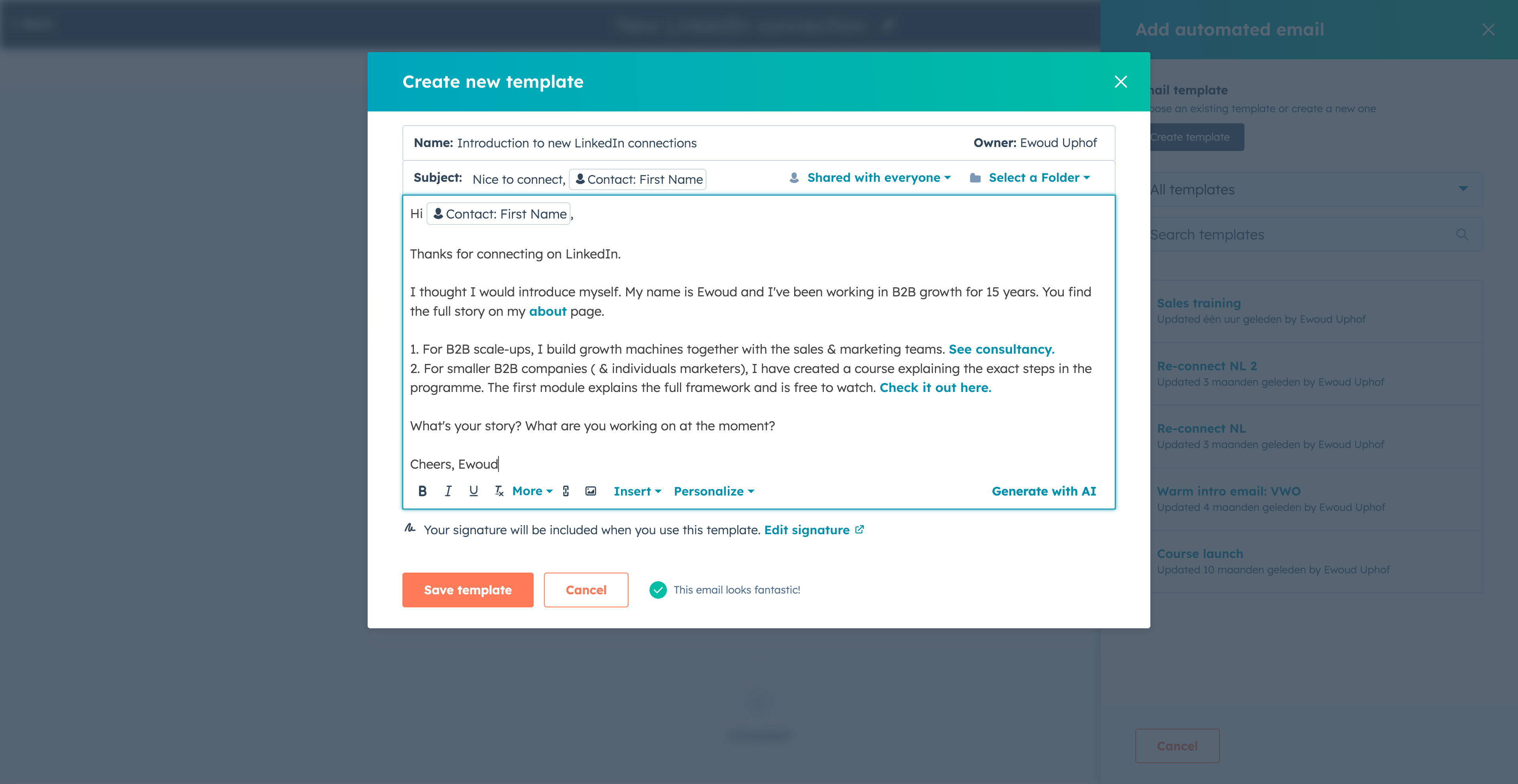
Email 1: Introduction
The first email arrives shortly after the connection is accepted. It's brief, introduces who you are and what you do, and offers a soft call-to-action.
Email 2: Free course module
Now let's consider how a sales rep at Aircall might structure this same sequence. Aircall provides cloud-based phone systems for sales and support teams, so their resources focus on call-based selling and team productivity.
Email 1: Introduction
Subject: Good to connect, {{firstname}}
Hi {{firstname}},
Thanks for connecting. I work with sales teams on their phone systems—helping them move from clunky desk phones to cloud-based solutions that integrate with their CRM.
If you're ever evaluating your team's call setup, happy to chat: {{sender.meeting_link}}
Otherwise, I'll share some useful resources over the coming weeks.
{{sender.first_name}}
Email 2: Cold calling guide
Subject: Resource for your sales team
Hi {{firstname}},
I wanted to share our cold calling guide. It covers prospecting methods, conversation frameworks, and how to handle objections—practical stuff for phone-based selling.
We've put together a guide on implementing AI in customer-facing teams. It covers conversation intelligence, automated coaching, and how to measure results.
This ebook covers everything from call preparation to closing techniques. It's the resource I send to teams who want to level up their phone-based selling.
Final resource: our guide to B2B buyer personas. It breaks down personality types you'll encounter in sales conversations and how to adapt your approach for each.
If any of this has been useful, I'd love to hear how your team handles phone-based selling. Just reply to this email.
{{sender.first_name}}
The Aircall sequence structure:
StepTypeDelayContent1Email0 daysIntroduction2Email3 business daysCold calling guide3Email5 business daysAI implementation guide4Email5 business daysPhone sales ebook5Email5 business daysB2B buyer personas guide
Each email links to a genuine resource that provides value regardless of whether the prospect ever becomes a customer.
n8n is a workflow automation platform, so their sales sequence would focus on helping prospects understand automation possibilities and discover relevant templates.
Email 1: Introduction
Subject: Thanks for connecting, {{firstname}}
Hi {{firstname}},
Good to connect. I help businesses automate their workflows—connecting CRMs, marketing tools, and internal systems without needing a developer for every integration.
If automation is something you're exploring, I'm happy to chat: {{sender.meeting_link}}
I'll share some useful resources either way.
{{sender.first_name}}
Email 2: CRM automation guide
Subject: Getting started with automation
Hi {{firstname}},
I wanted to share our CRM automation guide. It covers how to sync your CRM with other tools, automate lead routing, and keep your data clean without manual work.
We have over 900 sales automation templates built by our community. Lead scoring, pipeline updates, meeting scheduling—most of the common workflows are already built.
If you're thinking about automation for a larger team, we've put together information on governance, security, and compliance features. It covers SSO, audit logs, and self-hosting options.
Last email from me. Our full template library has over 7,000 workflows across marketing, sales, IT, and operations. It's the fastest way to see what's possible with automation.
If you're working on any automation projects, I'd love to hear about them. Just reply.
{{sender.first_name}}
The n8n sequence structure:
StepTypeDelayContent1Email0 daysIntroduction2Email3 business daysCRM automation guide3Email5 business daysSales workflow templates4Email5 business daysEnterprise automation page5Email5 business daysFull template library
Customer.io provides marketing automation, so their sequence would focus on lifecycle marketing and campaign building.
Email 1: Introduction
Subject: Nice to connect, {{firstname}}
Hi {{firstname}},
Thanks for connecting. I work with companies on their marketing automation—helping them build personalised customer journeys across email, push, SMS, and in-app messaging.
If you're ever thinking about your messaging infrastructure, happy to chat: {{sender.meeting_link}}
I'll share some resources that might be useful regardless.
{{sender.first_name}}
Email 2: Marketing automation guide
Subject: The complete guide
Hi {{firstname}},
I wanted to share our marketing automation guide. It covers the foundations—what marketing automation actually is, how to evaluate platforms, and how to implement it effectively.
We have a free academy with courses on messaging strategy, campaign building, and data management. It's designed for hands-on learning rather than just reading.
Last one from me. Our learning hub has guides, webinars, and case studies from companies using lifecycle marketing effectively. Worth bookmarking if you're building campaigns.
If you're working on any messaging projects, I'd genuinely love to hear about them. Just reply.
{{sender.first_name}}
The Customer.io sequence structure:
To implement this sequence in HubSpot, you'll need three things: the templates, the sequence itself, and a way to enrol contacts directly from LinkedIn.
Creating the templates
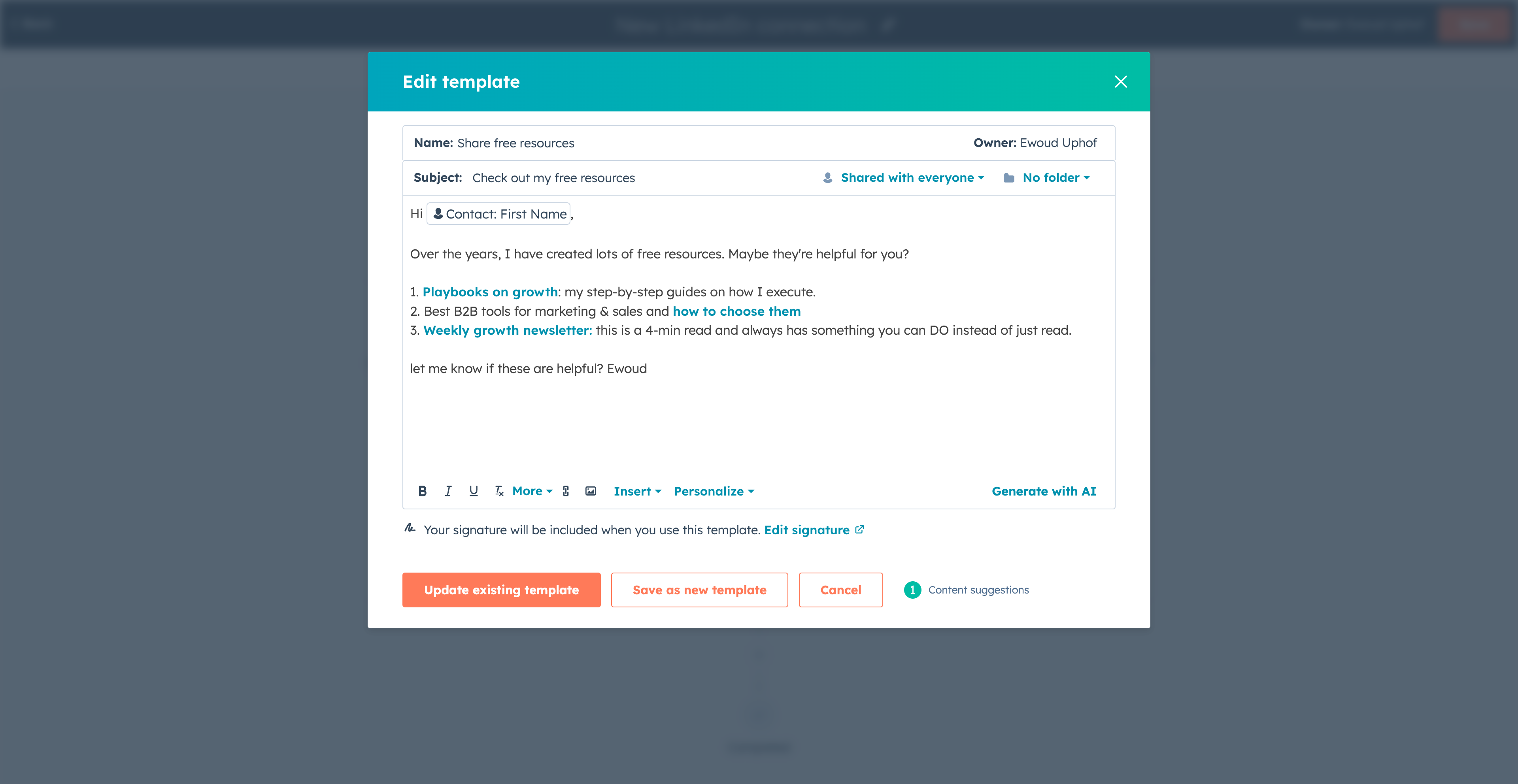
Start by creating each email as a template. Navigate to Library > Templates and create a new template for each email in your sequence. Use personalisation tokens for the recipient's name ({{firstname}}), company ({{company}}), and your meeting link ({{sender.meeting_link}}).
Save each template with a clear naming convention so they're easy to find when building the sequence. For example: "LinkedIn > New connection > Email 1 - Introduction".
Building the sequence
Navigate to Automation > Sequences and create a new sequence. Add each email template as a step, with the delays specified in your sequence structure. Set the delay type to "business days" so emails don't arrive over weekends.
Configure unenrollment triggers so the sequence stops when the goal is achieved. Typically you'd unenroll when:
The contact replies to any email
The contact books a meeting
The contact's lifecycle stage changes to a value that indicates engagement
Enrolling contacts from LinkedIn
The easiest way to enrol LinkedIn connections into your sequence is using Surfe. Surfe adds a sidebar to LinkedIn that syncs profile data to HubSpot and lets you enrol contacts in sequences with one click.
When you connect with someone on LinkedIn, click the Surfe sidebar, verify their details are correct, and select your new connection sequence. The contact is created in HubSpot (or updated if they already exist) and enrolled in the sequence automatically.
This removes the friction that kills most LinkedIn outreach sequences: the manual step of copying data from LinkedIn to your CRM. With Surfe, the entire process takes seconds.
Conclusion
The new LinkedIn connections sequence transforms outbound activity into inbound engagement. Instead of pushing for meetings with people who don't know you, you're sharing valuable resources until something resonates.
Once you've built your sequence, test it by enrolling yourself. Check that the personalisation tokens render correctly, the timing feels natural, and the unenrollment triggers work as expected.
After running the sequence for a few weeks, review the analytics. Which emails get the most opens? Which resources generate the most clicks? Use this data to A/B test variations—try different subject lines, adjust the timing, or swap in different resources.
Share the sequence with your team once you've optimised it. HubSpot sequences can be shared across users, so everyone benefits from what you've learned. The goal is to build a library of proven sequences that convert outbound effort into inbound interest systematically.
A cloud-based phone system that integrates calling, SMS and video directly into your CRM, enabling sales and support teams to communicate with customers without switching tools.
An account and contact intelligence platform that provides verified prospect data, automating lead generation and qualification for sales organisations.
By clicking “Accept All Cookies”, you agree to the storing of cookies on your device to enhance site navigation, analyze site usage, and assist in our marketing efforts. View our Privacy Policy for more information.