Keep learning
Growth leadership
How do you make all four engines work together instead of in isolation?


Clear mental clutter by transferring all thoughts, tasks, and ideas onto paper or screen, creating space for focused work.
.webp)
Does your mind feel like a browser with too many tabs open? Each thought, task, or idea fights for your attention, slowing you down and making it hard to focus. When mental clutter builds up, even small decisions can feel overwhelming.
The solution isn’t to push through or hope things magically clear up it’s to hit the reset button with a brain dump. A brain dump is the process of unloading everything onto paper or into a structured system. A brain dump declutters your mind, helps to regain focus, and creates a clear path forward.
In this chapter, I'll guide you through a step-by-step brain dump process. We’ll start with your objectives and key results (OKRs), move down to your roles, projects, and tasks, and end with a backlog for future ideas. This exercise creates the foundation for a well-organised task management system in later chapters.
Braindumps matter because human working memory is severely limited we can typically hold only 4-7 items at once yet we try to mentally juggle dozens of commitments, ideas, and concerns simultaneously. This constant cognitive load drains mental energy, impairs decision-making, and creates persistent low-level anxiety as your brain repeatedly reminds you of unfinished business. By conducting regular braindumps (weekly or when feeling overwhelmed), you free up cognitive bandwidth for deep, creative work. Research shows that unfinished tasks create intrusive thoughts (the Zeigarnik effect), but simply writing them down reduces this mental interference even before you complete them. For growth marketers managing campaigns across multiple channels whilst responding to stakeholder requests, braindumps prevent important tasks from slipping through the cracks. The technique is particularly valuable before strategic thinking sessions, as it clears mental clutter that would otherwise interrupt your focus. Regular practitioners report reduced stress, improved sleep, and enhanced ability to concentrate on high-value work.
To make your brain dump effective, eliminate interruptions both physical and digital:
You’ll need somewhere to capture your thoughts. A spreadsheet works best because it allows for easy organisation and categorisation later. If you’ve purchased the Master Your Workweek course, use the provided brain dump template (find it below the lesson in the description) for a faster, structured approach.
If you suffer from perfectionism like me, setting a timer for 25 minutes helps. Use this time to unload your thoughts without worrying about organisation or perfection. Once the timer starts, let your ideas flow freely we’ll organise them later.
Start at the highest level by writing down your objectives and their corresponding key results. This ensures your brain dump is aligned with your top priorities.
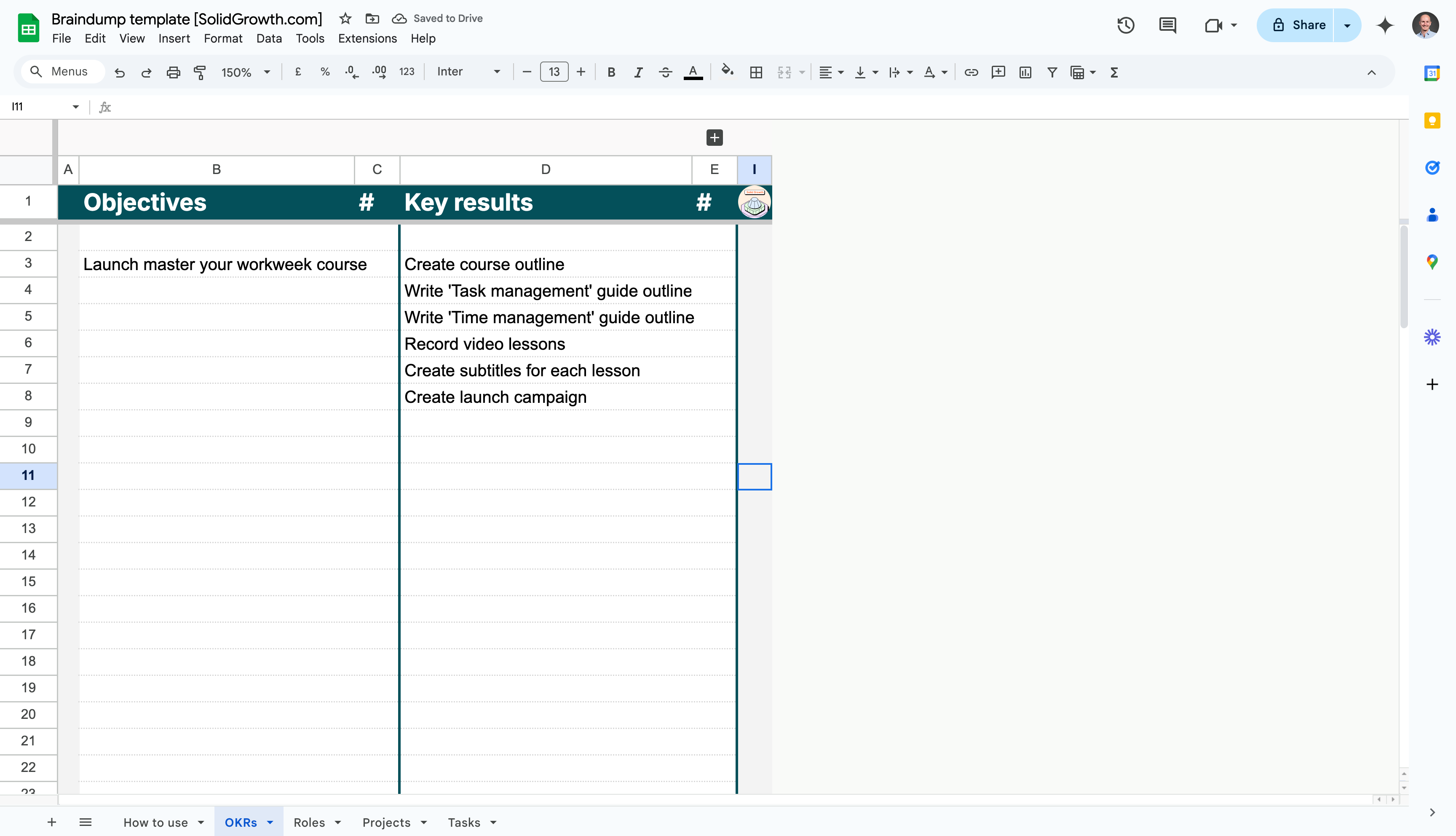
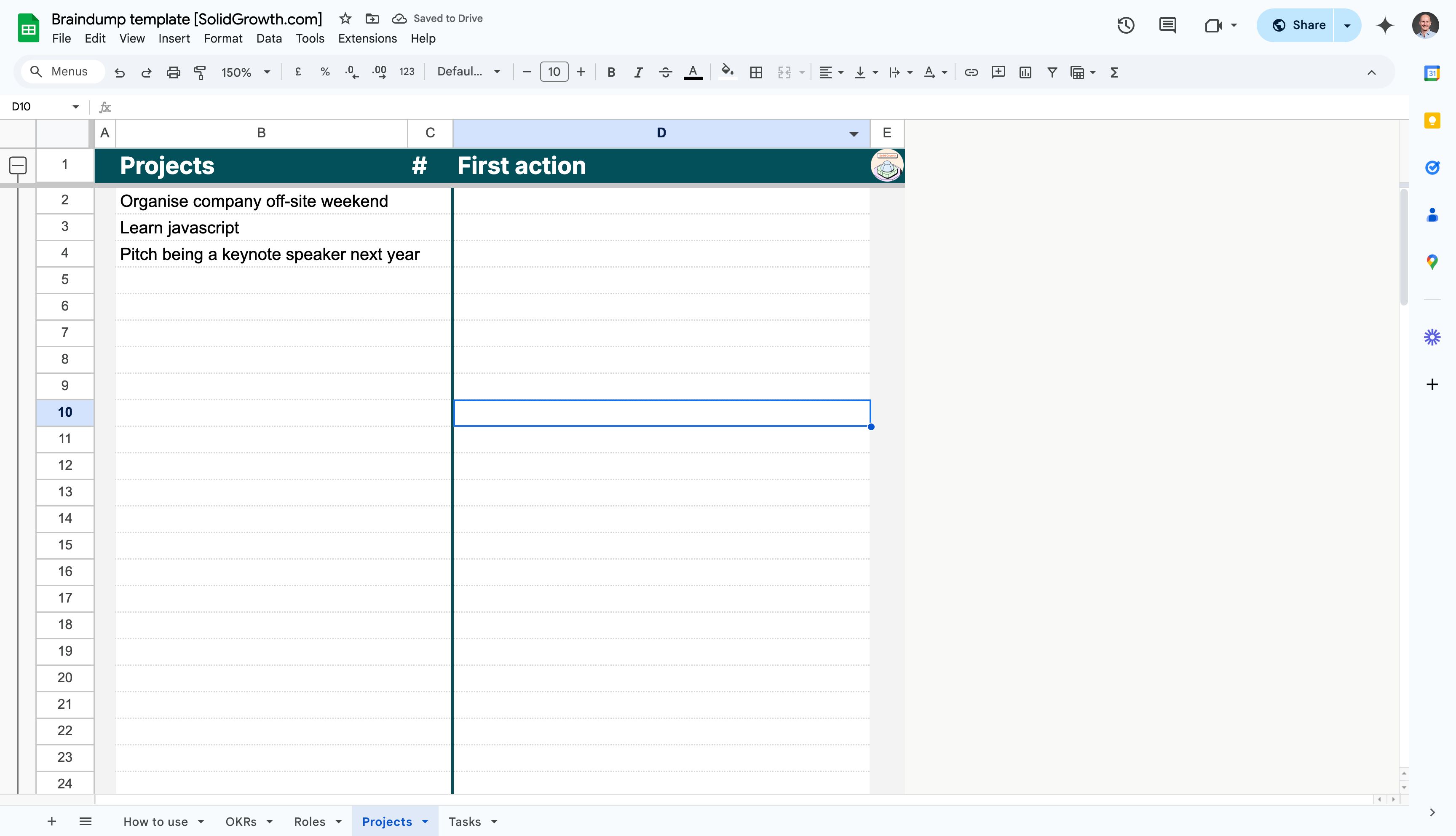
Now, map out the projects that will help you achieve your key results. These are the bigger initiatives or deliverables required to meet your goals.
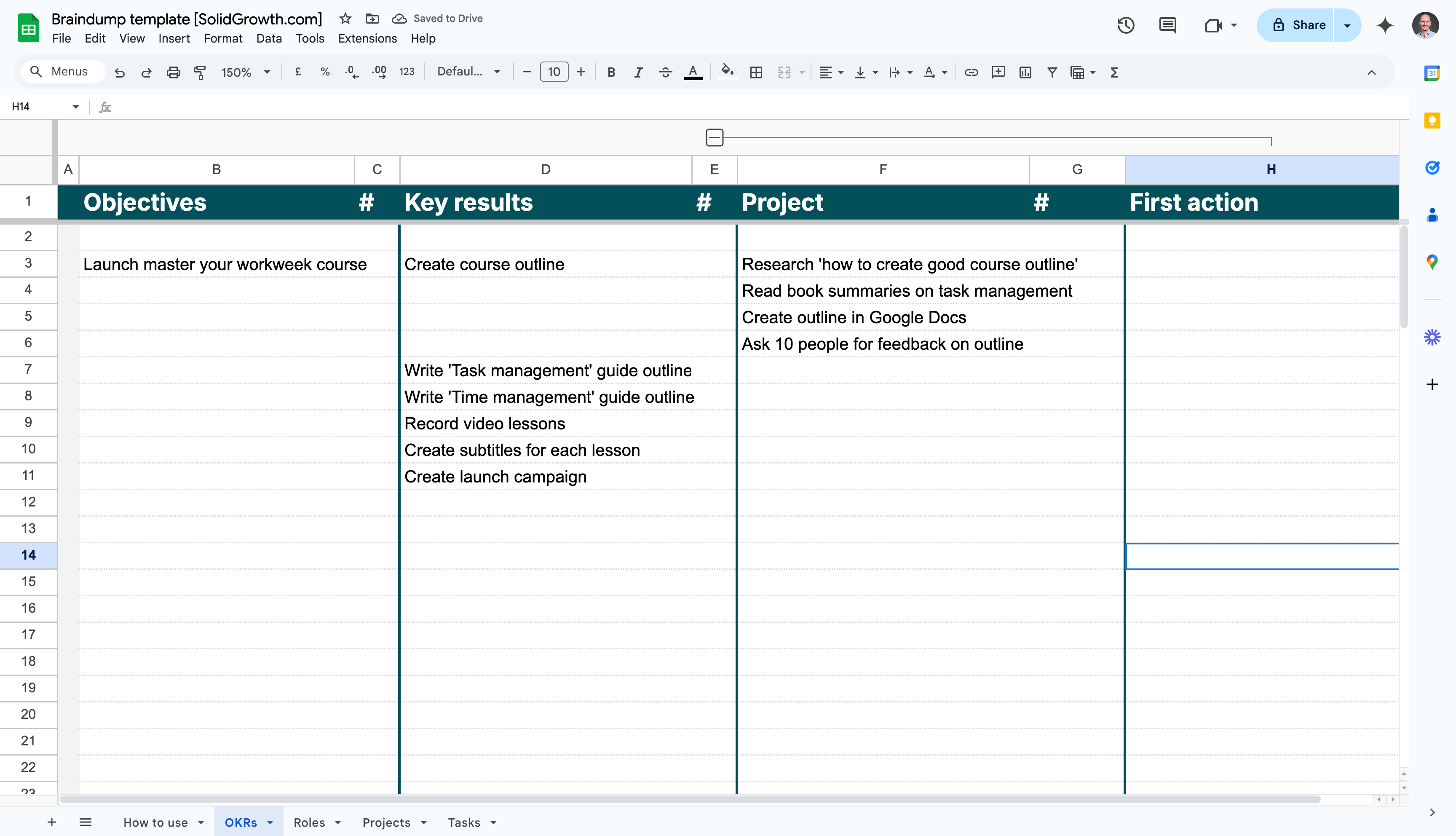
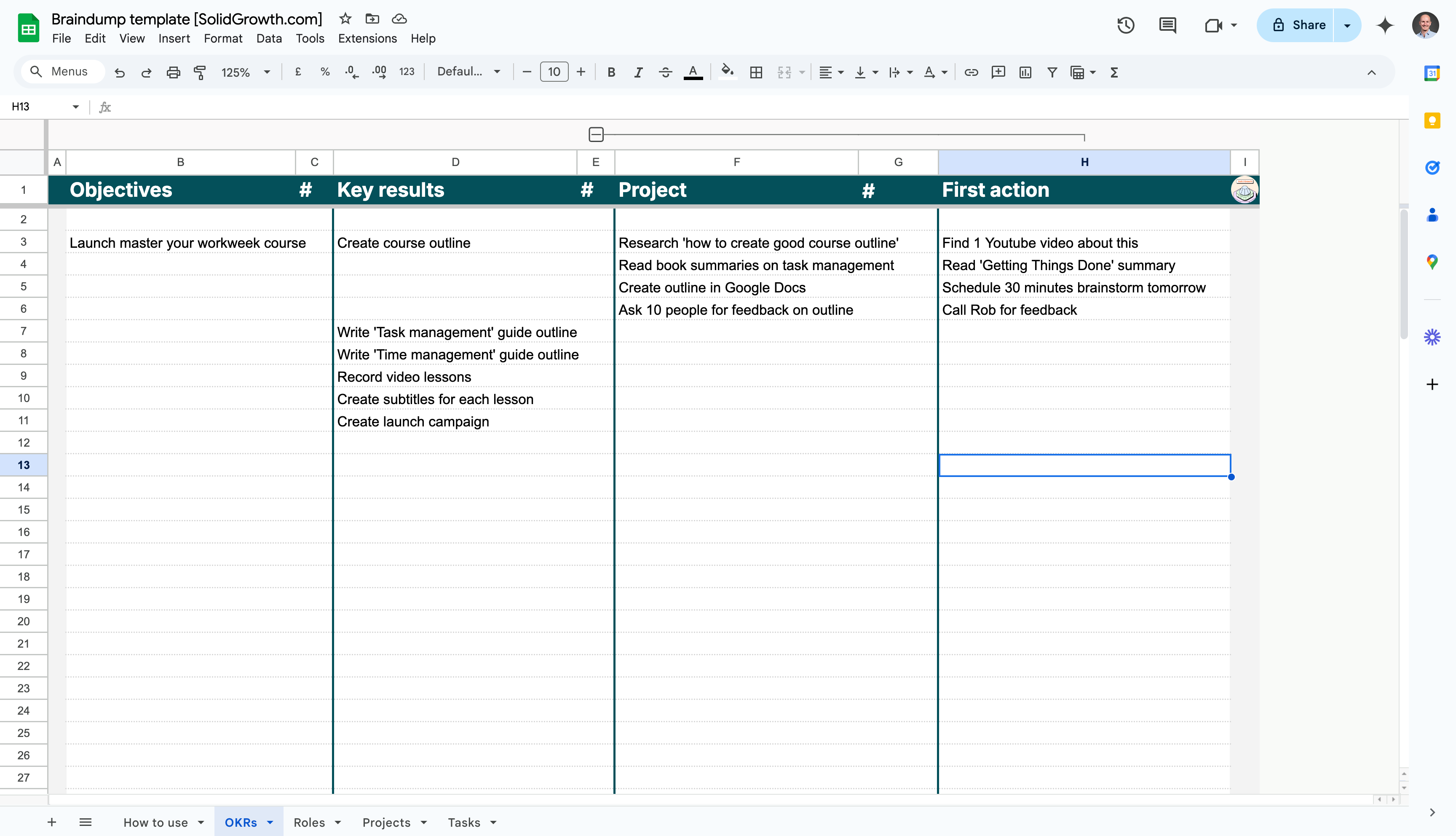
For every project, identify one clear, actionable step you can take to move it forward. This ensures that each project is actionable and not just an idea.
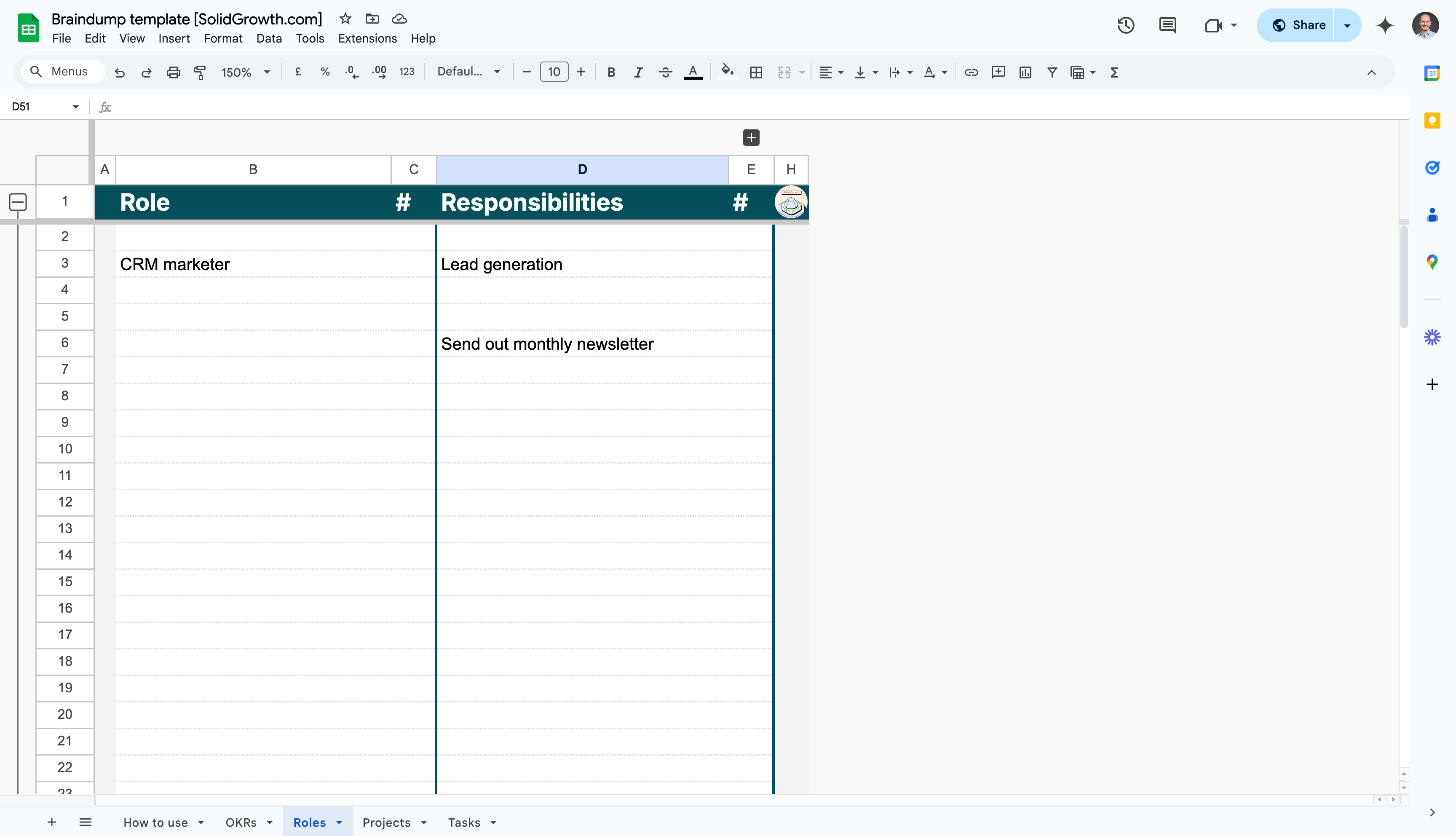
Identify the roles you fulfil in your professional and personal life, along with the recurring responsibilities tied to each role.
Recurring tasks are the repeatable actions that support your roles and responsibilities. These might include weekly reports, monthly updates, or personal routines.
.png)
Capture any projects that don’t align directly with your OKRs or roles. These might reveal hidden priorities or unnecessary work.
Standalone tasks are one-off actions that don’t belong to a larger project but still need to get done.
.png)
Finally, capture all your long-term ideas, someday/maybe projects, or creative thoughts in the tasks list.
Congratulations! You’ve created a comprehensive overview of your workload, broken into OKRs, roles, projects, tasks, and a backlog.
Studies show that writing things down has a powerful effect on mental clarity. In the 1960s, psychotherapist Ira Progoff introduced the intensive journaling method as a way to explore thoughts, uncover patterns, and gain personal insight. Later, in the 1980s, psychologist James Pennebaker discovered that expressive writing - which he called writing therapy - could reduce stress and improve mental and physical health. The act of putting thoughts on paper isn’t just therapeutic it’s transformative.
Then came David Allen in the early 2000s with his book Getting Things Done. He introduced the “Mind Sweep” as the first step in his productivity system. The idea is simple: your brain isn’t built to store endless lists of tasks, worries, and ideas. It’s built to process information. When you externalise what’s in your head, you free up mental space to think clearly and take action. This system made the concept mainstream, especially for professionals juggling overwhelming workloads.
But we’re in a digital age now. Tiago Forte took things further with his Building a Second Brain framework. He focuses on using digital tools to create an external system for storing and organising thoughts, tasks, and ideas. The principle, though, remains the same: get everything out of your head. Once it’s out, you can see the big picture, prioritise, and act with intention.
At its core, the brain dump is the first step. It’s about clearing the mental clutter so you can organise and make sense of it all. Whether you prefer paper or digital tools, the goal is always the same: free your mind, gain clarity, and create space for what truly matters.
How do you make all four engines work together instead of in isolation?

Build the dashboards and data pipelines that show your growth engines in one view so you can spot bottlenecks and make decisions in minutes, not meetings.

The wrong tools create friction. The right ones multiply your output without adding complexity. These are the tools I recommend for growth teams that move fast.
Analyse last cycle's results across all twelve metrics, identify the highest-leverage improvements, and set priorities that compound into the next period.
Pressure-test your strategy against market shifts, performance data, and team capacity so your direction stays relevant and ambitious.
David Allen
Rating


Rating
Rating
Rating
Rating

Capture, clarify and review without friction. Keep projects moving with weekly reviews and clear next actions.
Tiago Forte
Rating
Rating
Rating
Rating
Rating

How to store research, briefs and ideas so you can reuse them later. A calm framework for notes that supports experiments and content.
Your system for tracking work determines how your team operates. The right tool makes priorities visible and keeps everyone moving without endless status updates.
Most stress comes from not knowing what to work on next. A system where every task has a home, every project has a next action, and you always know what matters.
Focus resources on high-impact business mechanisms where small improvements generate disproportionate results across the entire customer journey.
Calculate the total cost of winning a new customer to evaluate marketing efficiency and ensure sustainable unit economics across all channels.
Choose one metric that best predicts long-term success to align your entire team on what matters and avoid conflicting priorities that dilute focus.
Focus your entire organisation on the single metric that best predicts success at your current growth stage, avoiding distraction and misalignment.
Send a series of scheduled emails that educate prospects over time to stay top-of-mind without overwhelming them with aggressive sales pitches.
Apply disciplined experimentation across the entire customer lifecycle, optimising every stage through rapid testing and data-driven iteration.
Determine whether experiment results reflect real differences or random chance to avoid making expensive decisions based on noise instead of signal.
Build self-reinforcing systems across demand generation, funnel conversion, sales pipeline, and customer value that create continuous momentum.
Track your user journey through Acquisition, Activation, Retention, Referral, and Revenue to identify which stage constrains growth most.
Track how fast your pipeline of ready-to-buy leads grows to forecast sales capacity needs and spot when lead quality or sales efficiency changes.
Track predictable yearly revenue from subscriptions to measure business scale and growth trajectory in B2B SaaS and recurring revenue models.
Document your repeatable processes in clear, step-by-step instructions that ensure consistency, enable delegation, and capture institutional knowledge.
Analyse profit per customer to determine if your business model works at scale before investing heavily in growth and customer acquisition.
Compare two versions of a page, email, or feature to determine which performs better using statistical methods that isolate the impact of specific changes.
Track revenue growth from existing customers through expansion and contraction to prove your product delivers increasing value over time.
Distribute conversion credit across multiple touchpoints to recognise that customer journeys involve many interactions and channels working together.
Scale through partner relationships where other companies distribute your product to their customers in exchange for commissions or reciprocal value.
Assign credit to marketing touchpoints that influence conversions to understand which channels work together and deserve budget in multi-touch journeys.
Automate multi-touch email campaigns that adapt based on recipient behaviour to nurture leads consistently without manual follow-up from reps or marketers.
Articulate the specific outcome customers get from your solution to communicate why they should choose you over doing nothing or using alternatives.